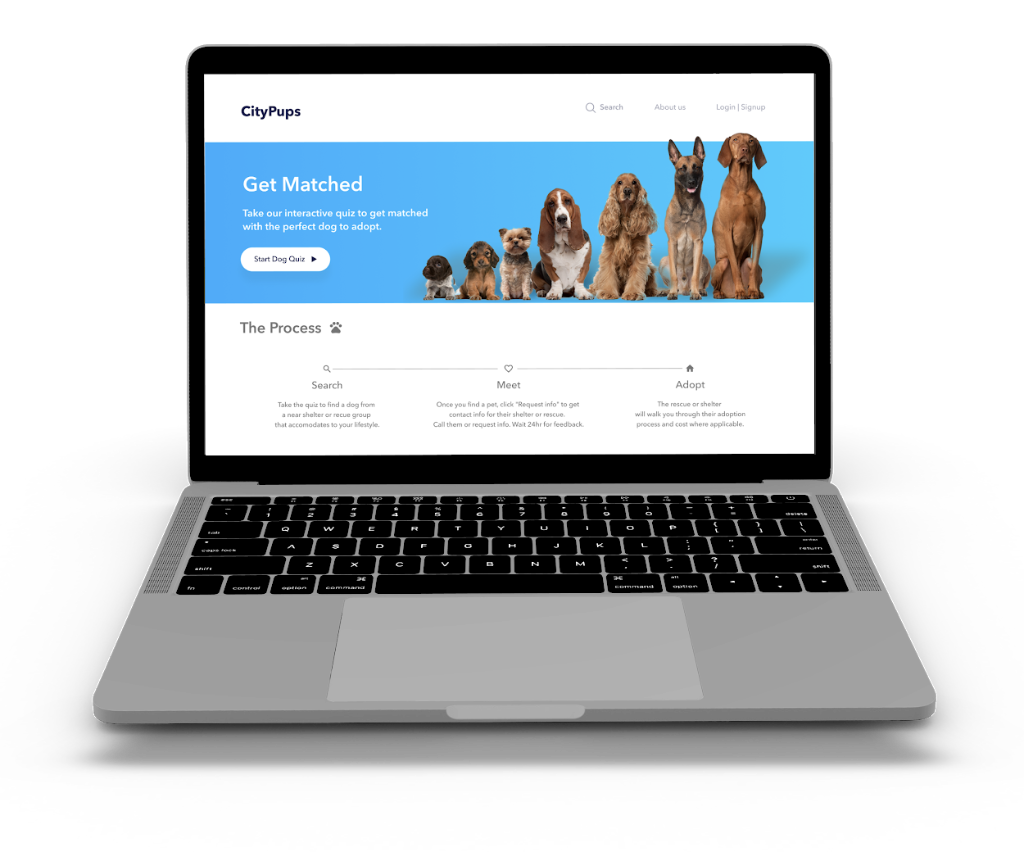
CityPups Dog Adoption Tool
Matching Pups with People
UX Designer
1 Week (GV Sprint)
Figma, Pen & Paper, Google Ventures Sprint framework
Project Context
This was a practice project completed as part of my UX training to apply the Google Ventures Design Sprint framework under a compressed 1-week timeline. The startup scenario and initial user research were provided as part of the exercise.
Why I'm including it:
This project demonstrates my ability to move quickly through structured ideation, translate research insights into design decisions, and facilitate effective user testing—all within a 5-day constraint. While not a shipped product, the framework discipline I developed here has directly informed how I approach early-stage discovery and rapid prototyping in client projects like RailBuild (3-week delivery) and Pergolade Blade Pro (8-week end-to-end).
Intro
CityPups is a new startup that wants to help people living in cities find the perfect dog to adopt by matching shelter dogs with people interested in adopting. For this project, I was provided with research notes from previous conducted user interviews by the startup research team. I used a modified version of (GV) Google Ventures Sprint in order to quickly answer critical business questions through design, prototyping and testing out the ideas.
The Problem
Based on the notes of previous interviews carried out by the team, people are mainly interested in dogs that accommodate to the size of their living space and lifestyles. They are willing to adopt, but the adoption process is a bit daunting because they lack knowledge about the process. Some key points dog adopters consider on their dog decisions are the dog's age, size, personality, trainability, energy level, the amount of attention needed, and how does the dog interact around people and other animals.
The Solution (Goal)
Create a (HCD) Human centered design system that allows the users to be matched with the adopting centers in order to increase adoptions, have happier owners and find better "forever" homes for dogs in need.
Process
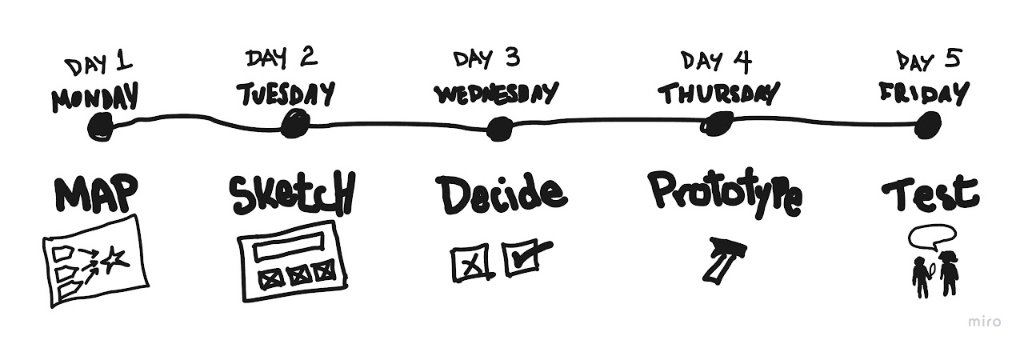
Day 1: Map
Persona
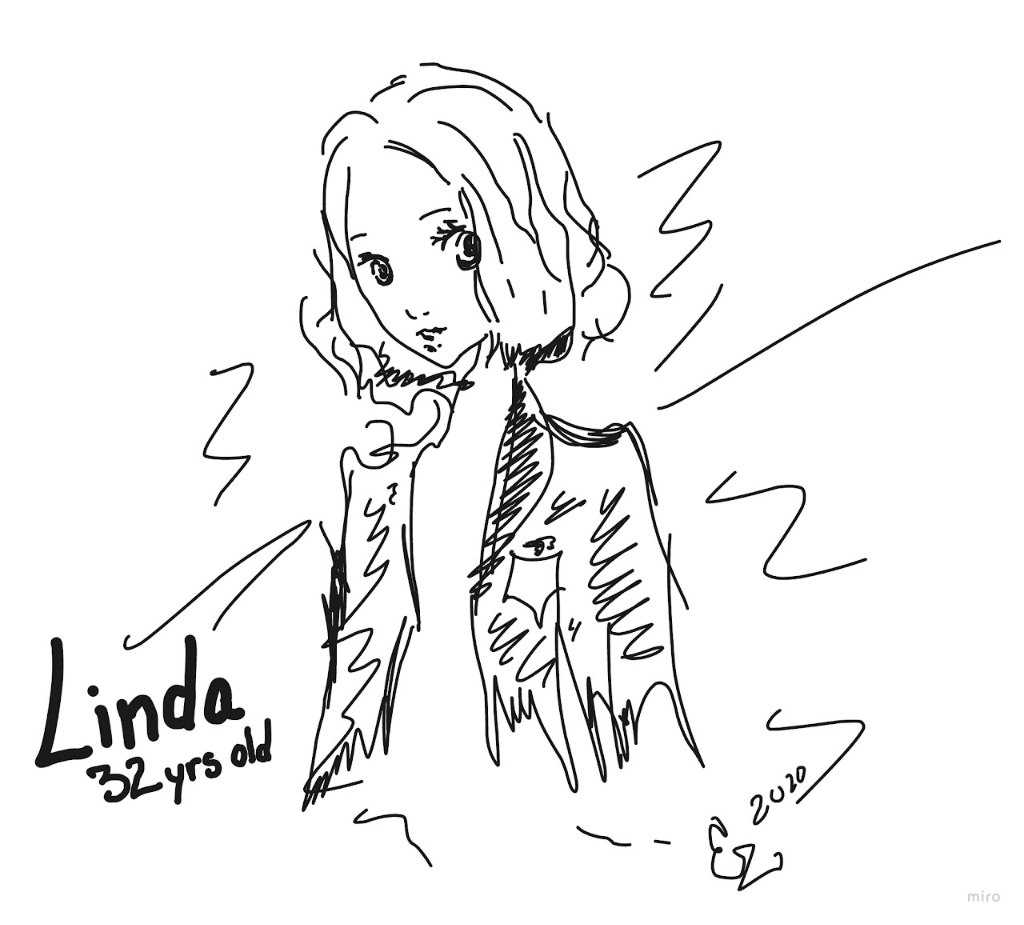
Based on research made by the team I created a user persona to represent the behavior, frustrations and goals of our user base.
Fashion Designer (NYC)
- Lives alone in a NYC studio
- Asks for adoption advice from dog owners she encounters
- Follows dog profiles on social media
- Frustrations: Falls for dogs with needs she cannot provide, descriptions are too general, adoption process unclear.
- Goals: Find a dog to adopt from nearby shelter, feel confident in the match.
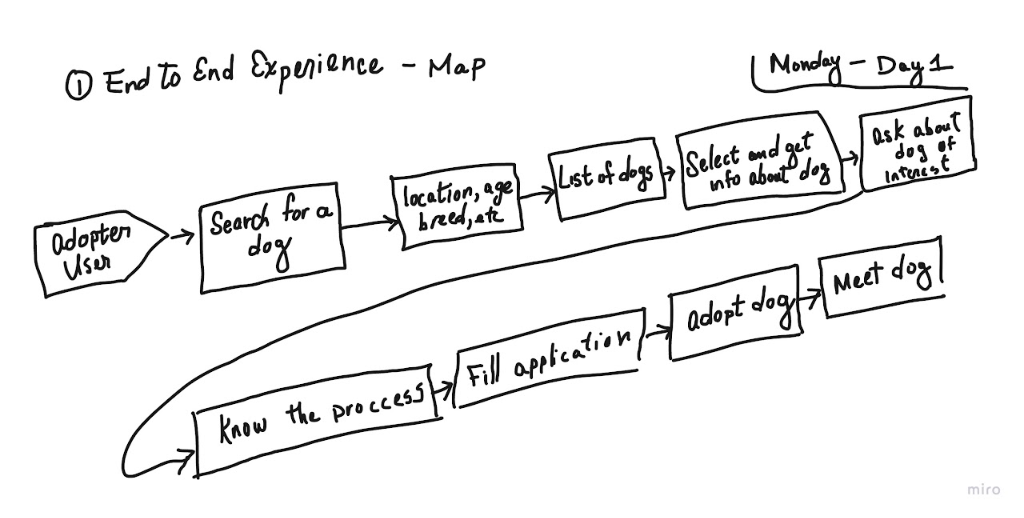
User Story Mapping
I worked on creating a map of the user journey of adopting a pet. Some of the main points I kept in mind were to:
- Start at the end (long term goal)
- Focus on point to solve
- Get feedback from the experts to improve the map while keeping track of time
Challenges Identified:
- Living and Outdoor space is very limited in the city.
- Schedule of the adopter.
- Dog personality compatibility.
Constraints:
- Website platform
- Local organizations - Users are sent to 3rd party to start process
How Might We...
- Keep the user engaged through the whole process?
- Match the adopter with a dog that fits?
- Educate the user on the adoption process?
- Match the user with different shelters?
- Pave out a smooth adoption process.
Day 2: Sketch
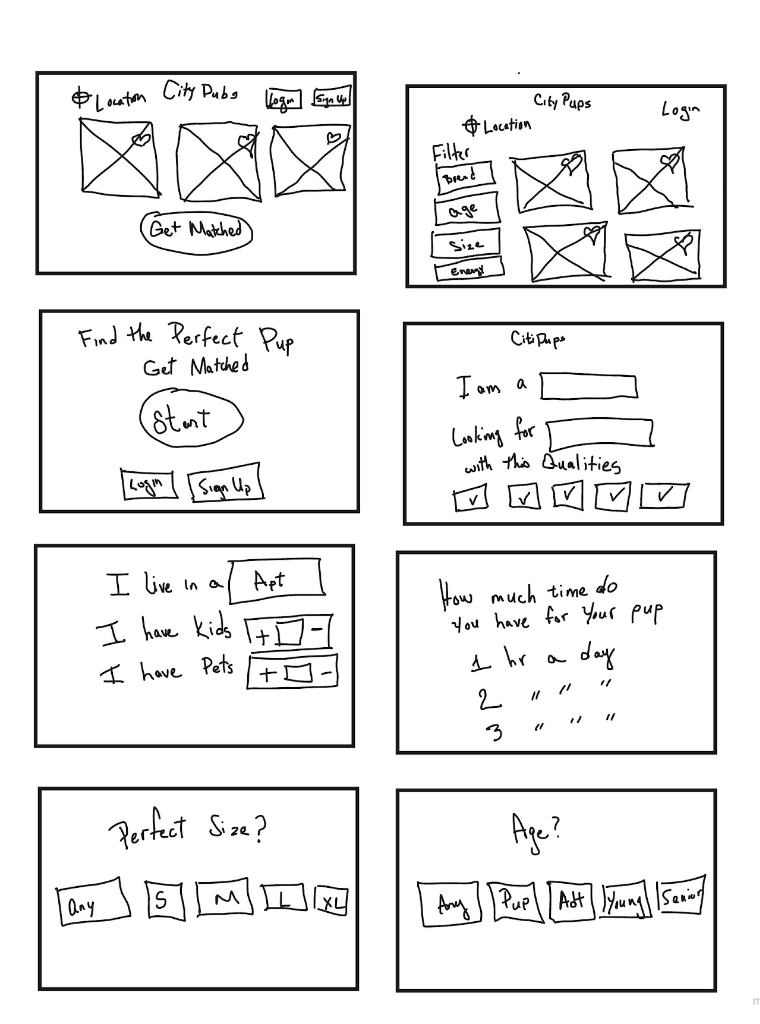
Lighting Demos & Crazy 8s
Inspiration comes from many different places. By researching many websites including competitors I drew some ideas that could be implemented in applying solutions. Once I had analyzed the project, it was time to sketch out some ideas. I sketched various ideas by brainstorming on quick sketches (Crazy 8s).

Day 3: Decide
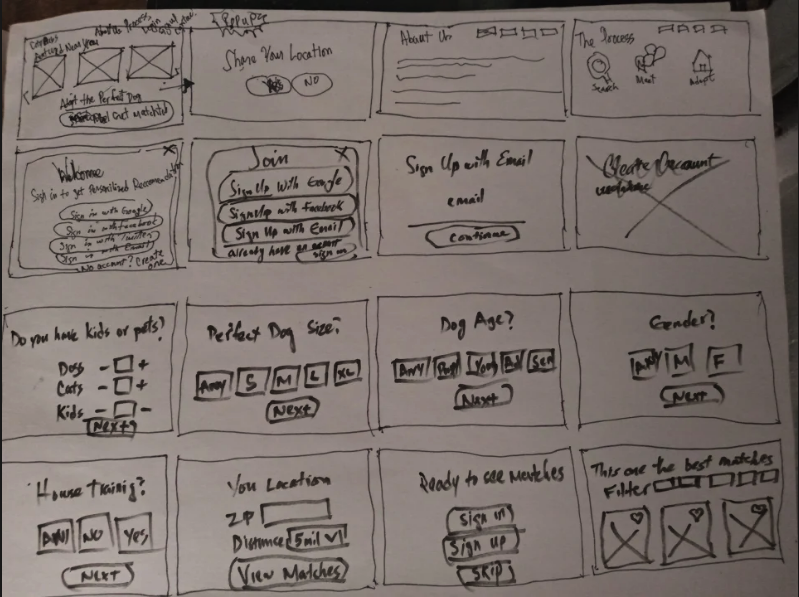
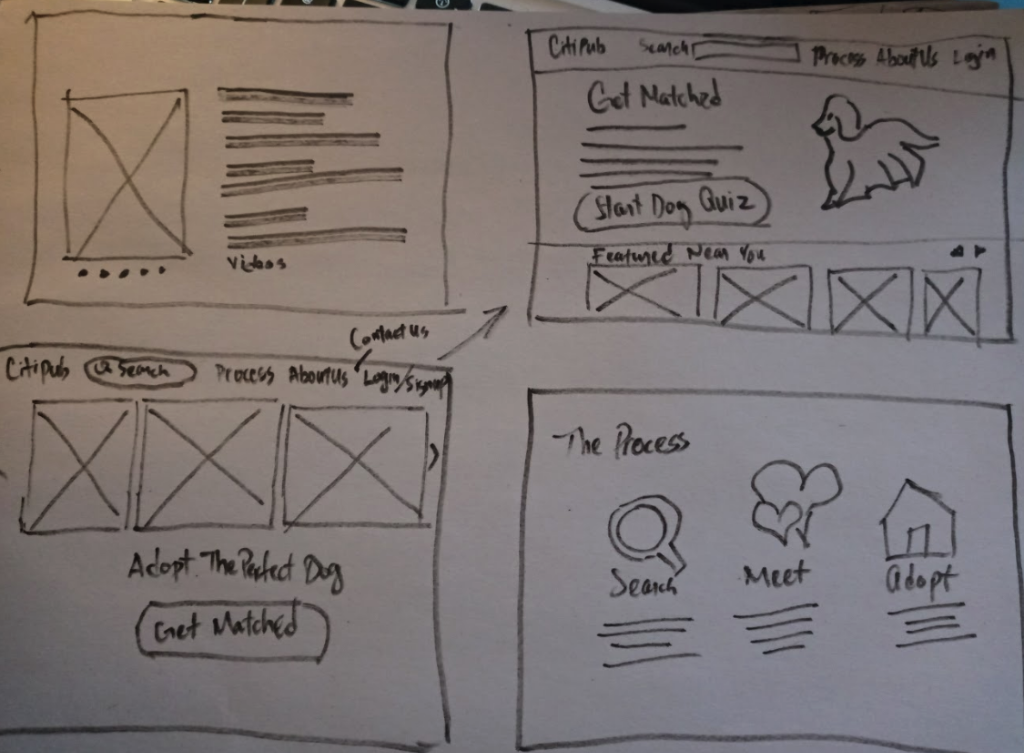
Storyboarding & Deciding
After giving the initial brainstorm sketches some time to sink in, it was time to further develop on one of the ideas to see things from a higher point of view. I decided to go with a solution that intended to help the user find a pet that accommodates to the their lifestyle.
Day 4: Prototype
Wireframes to Prototype
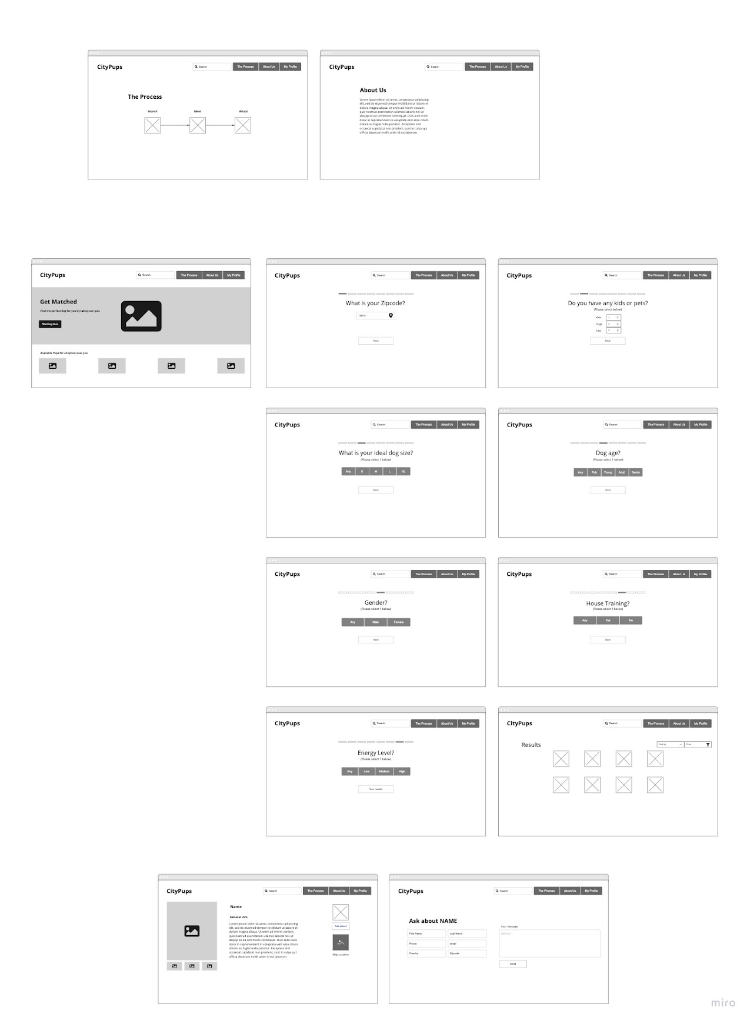
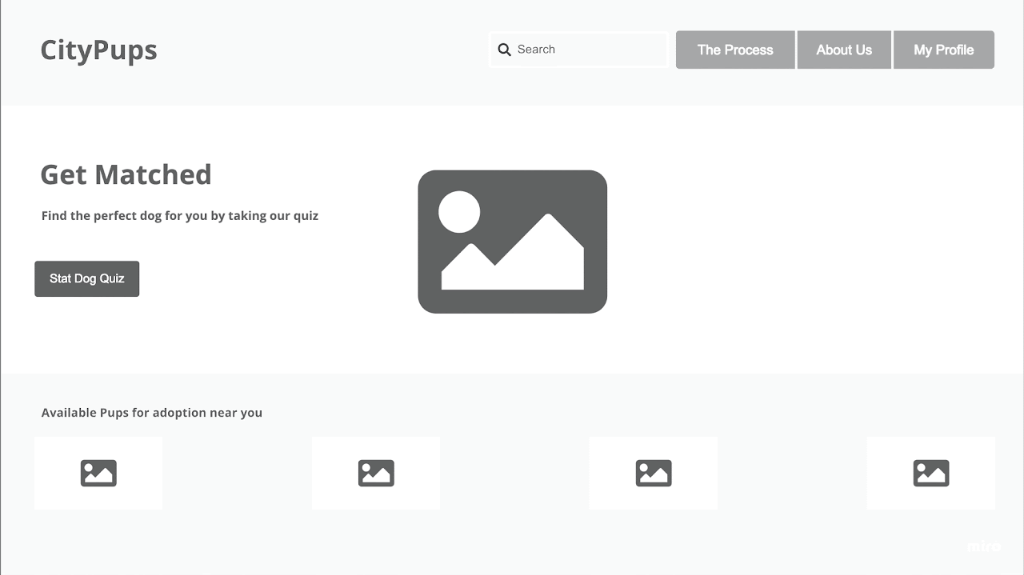
In order for me to visualize the layout dimensions and see a cleaner idea, I created wireframes of the previous hand drawn sketches. I created 3 sections: Landing page (CTA), Matching process, and Adopting a dog.
High Fidelity Prototype
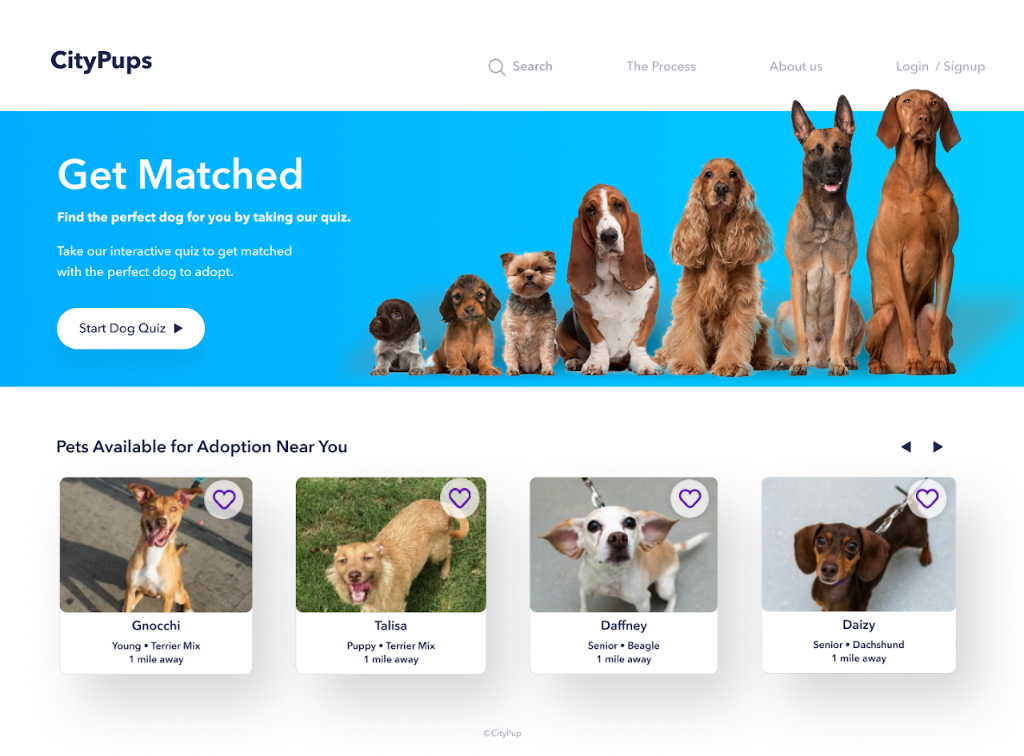
I used Figma to create an interactive prototype to test the critical points: Call-to-action (CTA), The Matching tool, The Adopting process, and Requesting info.
Prototype Walkthrough
Day 5: Test
Usability Test & Ideation
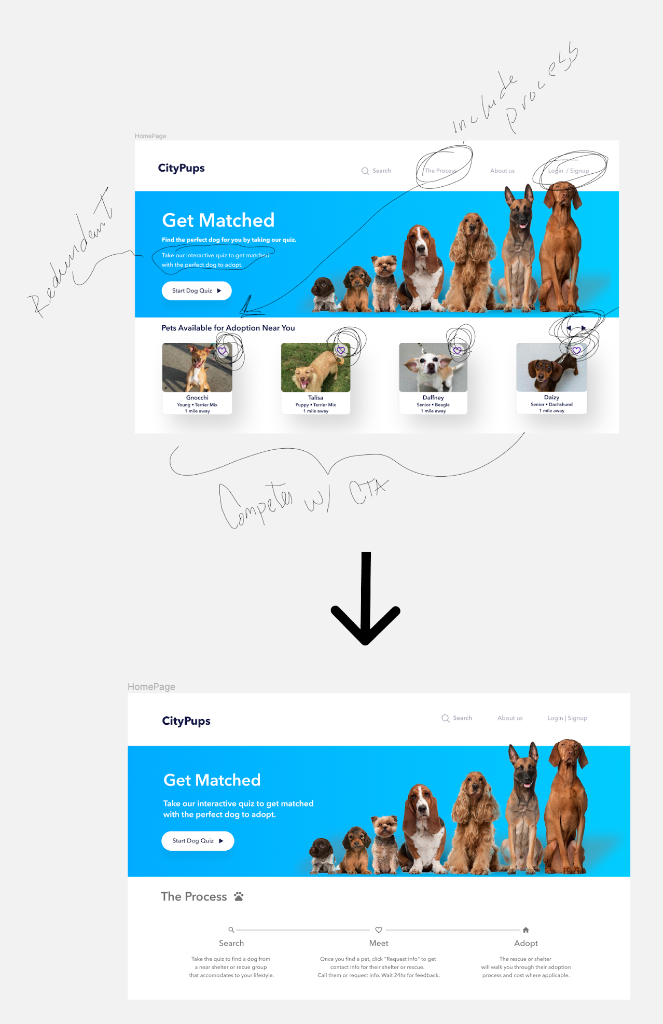
On this usability test I tested out basic assumptions and also heuristics, language, information architecture, interface design and overall usability. After interviewing 5 participants, the results were in. All participants completed the tasks easily. After analyzing the information obtained, I made some quick ideations notes to update the prototype.
What I Learned (And Still Apply Today)
Framework discipline under pressure
The 5-day constraint forced ruthless scope prioritization—focusing only on the critical path to validation. I've since applied this "essential features only" mindset when stakeholders request expansive features with limited timelines.
Research synthesis at speed
I learned to distill interview insights into actionable "How Might We" statements within hours, not days. This rapid synthesis skill now helps me present research findings to non-UX stakeholders in client meetings without overwhelming them with raw data.
Testing assumptions, not aesthetics
The sprint taught me to prototype the riskiest assumption first—in this case, whether users would trust an algorithmic match over browsing freely. In later client work (RailBuild), this mindset prevented me from designing an entire information architecture before validating whether users understood the persona-based navigation.
What I'd change if I ran this today
I'd conduct 2-3 quick interviews with actual shelter staff before ideation. The provided research notes focused on adopter needs but missed operational constraints (approval timelines, capacity limits) that would've shifted the solution design.
User feedback during testing:
Participants specifically noted the completeness of my interview approach, mentioning it was more thorough than other usability tests they'd participated in—a reminder that investing time in proper task framing and follow-up questions yields richer insights.
Next Project
Birder